Don't Settle for Slow Internet Speeds: Why a Quality Home Network is Important

Don't Settle for Slow Internet Speeds: Why a Quality Home Network is Important

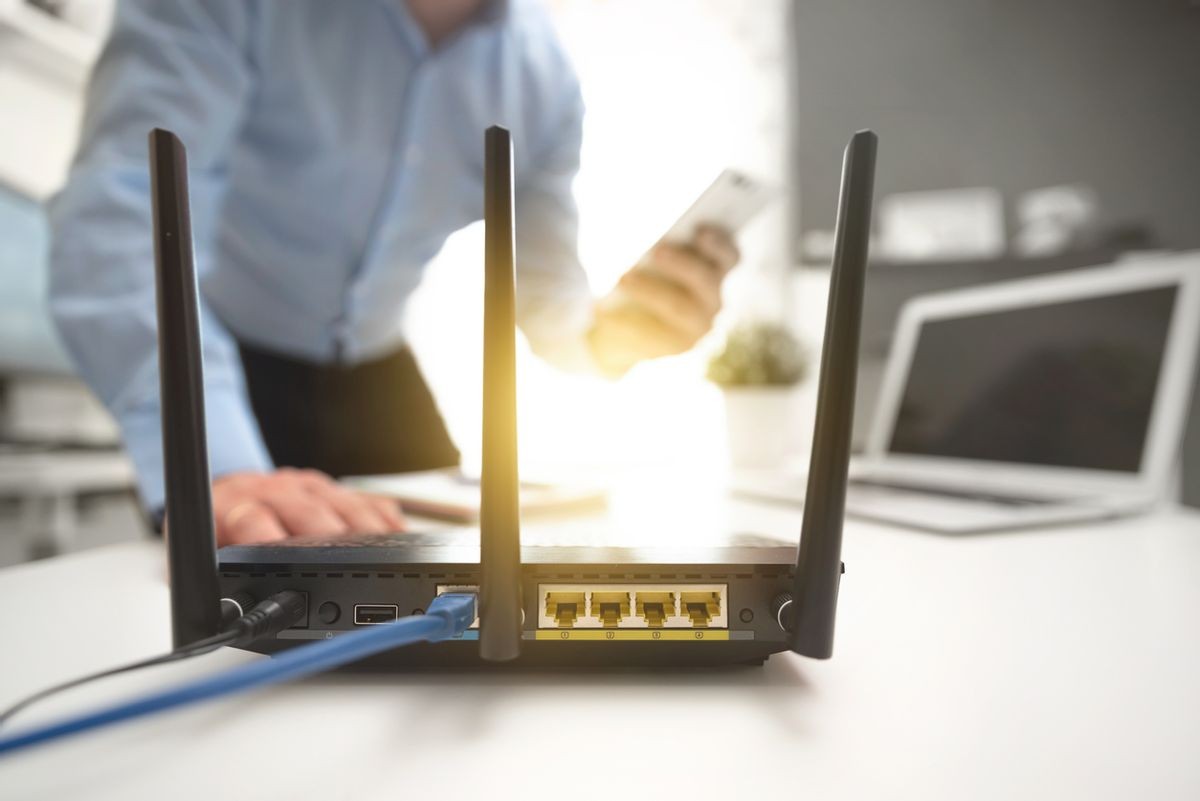
The advantage of using Ethernet is it’s easier to set up, is arguably more secure, and provides greater speeds. It also frees up bandwidth for those devices that require WiFi, and don’t have an Ethernet option, like a smartphone. It is often recommended that larger devices such as televisions, scanners, and printers, or anything that isn’t mobile, connect via Ethernet because of these benefits.

The obvious advantage of WiFi is mobility but also retrofit ability. Especially in older homes, there is not always going to be an Ethernet connection available at the location you would like to put a device or appliance. So, unless you’re willing to possibly turn your walls into swiss cheese, WiFi might be the best option.

A quality home network provides time savings and efficiency. For example, connecting multiple devices or computers to a single printer via the network allows you to quickly print from anywhere in the house. Also, a home network allows you to access files, documents, music, videos, photos, and more, all from any of your devices on the network.

Bandwidth is an important factor that affects the quality and speed of your home network. It is often compared to traffic on the road. When you’re the only car driving, the trip is easy and fast; but as more cars join the road, the drive gets slower and more difficult, leading to a traffic jam. This is the same with a device connection: as more devices are trying to connect to the network, the bandwidth becomes crowded and slower. All the more reason to have a network with both Ethernet and WiFi connections. Using the same analogy, think of an Ethernet connection like a subway or train, and a WiFi connection like the freeway. By having some devices on Ethernet, and some on WiFi, you can optimize the amount of traffic and bandwidth being used. Performing an analysis on how much of your bandwidth is currently being used through your router settings or by downloading a third-party application will aid you in deciding whether you need to upgrade your network to improve its efficiency and speed.

Within your home network settings, you can prioritize devices and even types of content. For example, you can set a sequence for your work devices to connect to the internet before something like streaming or video games. With a smart home system, each connection takes up some amount of your internet bandwidth, so prioritizing devices assures that the most important ones will be able to connect with the strongest and most reliable speed.

Continue reading
  1150 Hits

What Is IoT, and How Can You Implement It Into Your Home?

What Is IoT, and How Can You Implement It Into Your Home?

Some examples of IoT devices include smart home products such as light bulbs, security systems, doorbells, cameras, and speakers. By definition, it extends the power of the internet beyond typical electronic devices — to “things”; devices that are traditionally connected to the internet, such as smartphones or computers, are not considered IoT devices.

As the popularity of IoT devices increases and prices fall, the IoT network grows ever larger. It is predicted that by 2025, there will be 41 billion connected things. While at first IoT may seem vast and complicated, there are many simple ways you can integrate IoT devices into your home.

Before attempting a DIY IoT project, it’s helpful to understand the basics of what IoT is and how it works: through a combination of sensors and actuators to connect a physical device to the internet. Sensors measure physical properties. For example, a sensor might measure an environment’s temperature and then convert those external properties into a signal to send to an actuator, which uses this information to choose an action. If the temperature is above or below a certain number, it can adjust the thermostat to shift back towards what you want it to be.

It’s important to have the right infrastructure in place. Some IoT devices are Bluetooth-connected, which is straightforward and simple. Others may need more hardware and physical connectivity. When devices need to connect to the network, that’s when hiring a professional is important as these devices move a lot of information around on the network. This network “traffic” can affect your internet speed and ability to do things you might be used to such as streaming audio or video. Common DIY home installations include thermostats, security cameras, IoT alarm clocks, and smart garage doors.

A successful IoT project considers your day-to-day problems and uses a connected product to solve or make that problem much easier to handle. The following describes the two main use-case types in terms of IoT projects.

Continue reading
  1292 Hits

What is Preventive Maintenance, and Why Do I Need a Service Contract?

What is Preventive Maintenance, and Why Do I Need a Service Contract?

We Take Care of it All

We will inspect and test your equipment to make sure it's functioning correctly. We can also update the system’s software and firmware when necessary, calibrate all systems to make sure they are working properly together, and perform general maintenance (e.g., cleaning monitors, removing dust internally). We are here to be responsive to your technology needs.

Optimized System Performance

Proactive maintenance keeps your technology running in the best possible conditions, prolonging its life expectancy. This allows you to protect your investment and get the highest usage possible.

No Unnecessary Roadblocks

Keeping a regular maintenance schedule ensures that you'll always be able to use your technology when you need it. Nobody wants to try and get some work done or sit down to watch a movie, and have the system crash unexpectedly.  

A service contract ensures that you get the response and help you need in a timely manner. Technology replacement or repair can often be expensive. With a service contract, you're likely to save money with reduced response & labor fees, which can add up quickly over time.

Continue reading
  1170 Hits

Your Guide to Home Lighting Automation

Your Guide to Home Lighting Automation

At a Glance: 

What is Home Automation?

Lighting Automation in Your Home

Installing Home Lighting Automation

Find a Certified Home Lighting Automation Installer Near You

Continue reading
  1527 Hits

How Advanced Home Lighting Control Can Set the Mood for Fall

How Advanced Home Lighting Control Can Set the Mood for Fall

Scheduling Scary

By day, your house is brightly lit, the shades are up, and the lights off. But as the darkness of night starts to draw near, your system automatically adjusts your lighting and shades to the schedule you set. Your guests sit there, a gasp, as they find themselves draped in the perfectly controlled and lit Halloween setting, they now find themselves in.

Even better, having it set to go by itself can also be used to scare, as well. You could schedule blinds to go up and down during a Halloween party, or use an app to control the lights and turn them on and off as people enter and exit certain rooms. Flickering lights are sure to add some spooky atmosphere to any shindig you throw, and you’ll be able to do it all from the palm of your hand!  That’s some high-tech Halloween scaring, right there.

You are probably wondering how one takes their current lighting and shading system and makes it set for such scares, though. That’s what we’re here for! Give us a call today, and we’ll walk you through all of your integration options for lighting and shading.

Dementor Dimmers

There’s nothing Halloween-y or scary about regular, plain, boring, light switches. But dimmers? Now, those have potential for sure.

Dimmers come in a whole array of styles and possible switches, giving you something that will match whatever you are looking for to fit your home. They also save you money compared to traditional light switches.

Continue reading
  1214 Hits

3 Underrated Benefits of a Smart Thermostat

3 Underrated Benefits of a Smart Thermostat

1. Lower Energy Usage and Costs

With smart thermostats, when you’re out of the house or on vacation, you can set your air conditioning and heater to your desired temperatures. Manufacturers of smart thermostats make claims of 10% to 20% savings on energy bills, and that can really add up in the long run. When you track your energy usage you can easily see where money can be saved. Smart thermostats are inherently environmentally friendly and some even give you “badges” to reach new levels of energy efficiency. Several smart thermostats also have the ability to add remote temperature sensors, allowing you to heat/cool specific areas of the home.

2. Control Your Thermostat Remotely

Smart thermostats allow you to use an app on your smartphone, tablet, or computer to set the temperature for your home remotely, all through an easy-to-use interface. This means, when you’re out of the house or on vacation, you can set your air conditioning and heater to your desired temperatures. In the app, you can also create schedules so that at certain times throughout the day, the temperature will change according to your wishes. You can even set vacation modes for longer trips. Another feature of smart thermostats is the ability to receive alerts for when your temperature goes above or below a certain point.

3. Smart Thermostats Learn Your Home and Your Routines

Using movement sensors, smart thermostats can detect when you are in and out of the home and create a general schedule based on your lifestyle. When you’re gone from the home, energy usage will slow, and then pick up again when you return. Some smart thermostats can also measure the outdoor weather and adjust the indoor environment accordingly. They can also work with other smart home devices, such as smart humidifiers or air purifiers, exchanging information for a stronger integrated system. Voice-controlled systems such as Amazon Alexa and Google Home can connect to your smart thermostat, allowing you to adjust the temperature with the sound of your voice.

Smart thermostats are easy to install, using the wiring already there for the home’s heating and cooling system. Similar to other smart home devices, smart thermostats give you insights into your home in comprehensible ways and are designed to be easy to use.

Call or Visit Us

Your heating and cooling system should not be overlooked when growing your smart home. If you’re ready to enable the extra layer of convenience, comfort, and cost savings into your home, AV Design Consultants provides many options to cater to your lifestyle. Contact our experts at AV Design Consultants to learn more about our products and services.

  1232 Hits

How to Integrate Technology with Interior Design

How to Integrate Technology with Interior Design

TV

Have you ever noticed how many TVs get installed over fireplaces? It’s not because people necessarily wanted to put the TV there. It’s because the fireplace is typically designed as the focal point of the room and it just ends up making sense to put the TV right above it. Many are fine with that, but some others think that having a big black rectangle at the room’s primary focal point is not the most desirable aesthetic choice!

Fortunately, the industry has come up with several ways to dress up or hide the TV completely:

  • Digital Art ‒ Some TVs have a “digital art” mode that can make your TV look like a painting, family portrait or whatever image you want to show off. Some even come with a light sensor to make the art respond to your room’s lighting in a way that makes the art look more natural.

  • Mechanized Lifts ‒ There are dozens of options that make clever use of automated lift mechanisms that can hide your TV in a myriad of ways. An Art Lift allows you to hide the TV behind a real piece of art that can slide up or sideways to reveal the TV when you turn it on. Other motorized lift mechanisms can raise your TV up out of a cabinet or have it descended from a hiding place in the ceiling. You can even have the TV pivot left or right towards the viewer.

  • Recessed TV ‒ You may not really care about completely hiding the TV, but you would like the installation to be a little sleeker. In that case, you can have your builder frame out the wall so that there is a pocket for the TV to be installed into. This creates a clean and flush appearance from the front and side.

Speakers

Having the ability to play music anywhere in the house or yard is one of the most requested features we get. While a set of floor standing speakers might make sense in a home theater or media room, other rooms can have great sound too without the speakers being a prominent visual feature.

  • Architectural Speakers ‒ Most people are familiar with in-wall and in-ceiling speakers. What you may not know is that you can get them in a smaller form factor that closely matches the size and shape of your recessed lighting. This makes the speakers really blend in. There are even in-wall and in-ceiling subwoofers that can provide some added bass without the big black box on the floor.

  • Invisible Speakers ‒ If you really don’t want to see the speakers at all, invisible speakers can be installed during the construction phase that perfectly blend into the wall. They are mudded and painted over, just like the drywall, so even the sharpest eye can’t see them.

  • Custom Soundbars ‒ Adding a soundbar to enhance TV audio is extremely popular these days. But a lot of soundbars look like an afterthought rather than part of an integrated system. But they don’t have to. Many manufacturers provide soundbars in custom lengths that perfectly match the width of your TV for a clean, purposeful look.

Lighting Control

A smart lighting system isn’t just for convenience. It can enhance the look of your home as well. Lighting control systems can be programmed to remember lighting “scenes” that recall specific lighting levels for a room or the whole house. You can have all your lights set to just the perfect level for whatever mood or activity you want and recall it with a simple button press.

“Centralized” lighting control systems take things even farther by reducing your banks of light switches (sometimes four, five or more in a row) and consolidating them into a single, elegant keypad. Often these lighting keypads are available in a variety of designer colors and textures to perfectly complement your décor.

Continue reading
  1231 Hits

Why Your Home Needs Ambient Room Lighting

Why Your Home Needs Ambient Room Lighting

At a Glance:

What is Ambient Lighting?

Benefits of Ambient Lighting in Your Home

How to Implement Ambient Lighting in Your Home

What is Ambient Lighting?

Continue reading
  1982 Hits

7 Simple Tips to Improve the Speed and Reliability of Your Network

7 Simple Tips to Improve the Speed and Reliability of Your Network

Ask anyone what the number one frustration of trying to live, work, and play with technology is, and most people will tell you it’s the quality of their home internet. Network speed and reliability are vitally important factors in making the most of time spent at home. Several factors can inhibit your internet experience, including the number of devices connected, bandwidth caps, and your router’s location.

If you feel like your internet connection has slowed or performance is compromised, the following are some steps you can take to improve the network’s speed and reliability.


1. Consider Your Data Cap

Some internet service providers (ISPs) have data cap options. With these, you can use a certain amount of data each month, and if you go over, your internet speed will dramatically decrease or you might be charged extra. Familiarize yourself with your cap by looking at your bill and identifying if you frequently exceed your monthly limit (you can also find out which devices are using the most data). If that’s the case, you’d be wise to increase the cap.

2. Reset Your Routers

Resetting your routers from time to time (e.g., once a month) will refresh your internet connection and clear out anything that may have been slowing it down from data that gets cached in the device’s memory. If you have a separate modem from your router, you should reset that as well. If you seem to be having a lot of connection issues, try resetting your modem and router more frequently or look at upgrading to pro-consumer grade products, which perform better than off-the-shelf options. Outlet timers and power management systems can reset it for you on a set schedule, allowing you to reset your router in the middle of the night, for example, or any other time when you don’t need to use the internet. You can also call your internet provider to do it for you remotely.

Continue reading
  1212 Hits

The Perfect Environment: Your Guide to Climate Control Home Automation

The Perfect Environment: Your Guide to Climate Control Home Automation

At a Glance:

What is Automated Climate Control?

Benefits of Automated Climate Control

Why Trust AV Design Consultants?

Meet Our Home Automation Expert

What is Automated Climate Control?

Continue reading
  1354 Hits

Smart Home Automation Hacks for When You’re Away on Vacation

Smart Home Automation Hacks for When You’re Away on Vacation

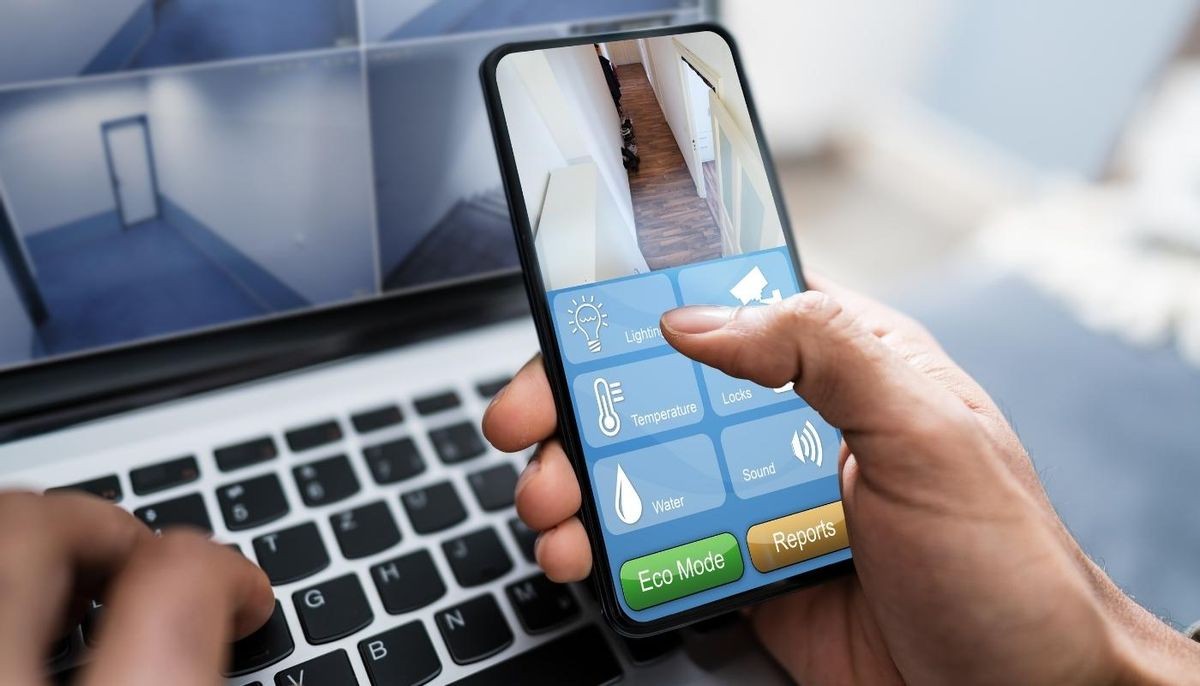
But what is smart home automation? This technology takes common safety protocols like cameras, doors, and light timers and connects them to smartphones. Smart security is a subset of this automation and upgrades any security system to give remote access. This enables remote control of safety features, video streaming to check on the house, and much more.

Benefits of smart home automation:

  • Video surveillance streaming
  • Remote control of locks and lights
  • Increased security
  • Peace of mind on vacation

Here are the must-have smart home automations for vacation and everyday life.

Smart Security Cameras

Smart security cameras function like traditional security cameras. They record videos and allow you access to surveillance of your house. That said, they have upgraded capabilities on top of this functionality. Smart cameras connect to phones and computers, enabling remote viewing of camera footage. Many smart security cameras also offer options like motion alerts and automated recording options. A notification can be sent to connected smartphones when there is motion in a designated area. Cameras can also automatically record snippets of video when triggered by motion.

Overall, security camera streaming to a smartphone is incredibly convenient. This automation option makes it easy to check on the house while away, watch for packages, and get alerts to unexpected motions. Every homeowner should consider a smart camera system for vacation.

Continue reading
  1252 Hits

Smart Home Lighting: What Is It and How Does It Work?

Smart Home Lighting: What Is It and How Does It Work?

Benefits of Smart Lighting

The benefits of smart lighting extend beyond the ability to adjust your lights automatically or remotely. There are here are several plus sides to having smart lighting, such as automation, energy savings, and so much more. You’ll discover that there can be more to lighting than just flicking on a switch, and we’ll show you just what we mean.

Automation & Setup

Smart lighting can be integrated individually or collectively. You can set timers to turn off the lights at a certain time, or you can program your lights to turn on and off when you’re not at home, simulating your presence. The fixtures of smart lights are the same as those of regular light bulbs, so there is no need to worry about complicated installation. Simply remove the old one and screw in the new one to install them! Use your app or device to connect them to your home, and you’re good to go in a matter of minutes.

Save Energy

Depending on how you set up your lights, you can get notifications about left on lights, so you can turn them off. Meaning there will be no more waste of light and a significant reduction in energy use, resulting in lower CO2 emissions. So, you can power your home while being eco-friendly. Also, smart lighting has a much longer average lifespan than standard lamps, so you don’t have to replace them as frequently.

Even though smart lighting is more expensive upfront, it will save you money in the long run. Smart lights use five times less energy than normal bulbs, and the ability to dim your lights can help you save even more money on your energy bills. Remember, the less energy your lights use, the better for the environment they are.

Mood Creation

Smart lighting also provides a more pleasant ambiance by detecting various aspects in a room and adjusting to those factors. Most smart lights also offer features that allow you to adjust the color or intensity so you can create a great movie atmosphere, work environment, or just a relaxing space.

Continue reading
  2160 Hits

5 Ways Smart Thermostats Will Save You Money in 2022

5 Ways Smart Thermostats Will Save You Money in 2022

1. Customizable Features

With a smart thermostat, you'll have a variety of control mechanisms at your disposal. Using adaptable times and room-specific settings, you'll have more control over every aspect of your home's energy. So, you'll have control over how much energy you're using at any given point.

You can even improve how much you save by having separate thermostats for different floors, giving you granular control over which rooms to heat. This way, you can keep your bedroom at the optimum temperature and keep that unused guest bedroom at a low temperature and not waste any energy.

2. Knows What You Need

One aspect that sets smart thermostats apart from regular thermostats is the ability to learn your behavior. The smart technology in these thermostats works is by knowing when you're home or away and adjusting your settings accordingly. So, even if you input a schedule, you don't have to always stick to it to get great results.

You'll even receive tailored notifications asking to readjust your settings according to the new data it processes, so your home always operates at the ideal temperature.

3. Smart Technology Tracking

Speaking of smart technology, another benefit smart thermostats provide is their tracking capability, which translates to more energy savings. With the monthly energy reports you receive from your thermostat, you can easily see where you're using the most energy. And since these things have high-powered brains, you'll also receive personalized recommendations on how to improve your energy savings.

Continue reading
  1162 Hits

How to Blend Smart Technology with Home Design

How to Blend Smart Technology with Home Design

Coordination — Color Coordination

The good news is that most smart devices have ample color, size, shape, and design choices, so you can find one that matches your home's design. For instance, if you have a smart doorbell, you can color match it with the color of your door or just the knob.

And for in-ceiling speakers, you can match the trim to the color of your ceilings and make it seem like they aren't there at all!

Wires? What Wires?

A home full of technological wonders that make your home life easier means wires — and lots of them. Almost everything requires a power source, but there's no denying how all those wires clutter up your design scheme. But with a few tricks, you can make those wires disappear like a techno-savvy magician!

  • Go Wireless: Do away with wires all together with wireless security cameras, speakers, etc., and control your system with a wireless hub. You can even control most connected devices with just your voice!
  • Undercover: Try hiding your wires behind your crown molding so they don't ruin your aesthetic. You can even get hollow baseboards that manufacturers design with cabling in mind.
  • Camouflage: Hide your wires in plain sight by matching the color of your cords to the color of your baseboard!
  • Out of Sight: Make your setup a permanent solution and hide the wires in the drywall (we can help with that). 

Everything is Better Custom

Customizing your smart technology lets you put your home design entirely in your hands. With a bespoke design, you can eliminate the need to place every speaker or display on a shelf. Instead, you can install them in the walls or ceilings. And if you keep color coordination in mind, you can hide every piece of tech in plain sight!

The other benefit of a custom fit is that you can drill down on the minutia of your home design. Like if you have a traditional-looking door, you can customize your smart lock to look like a traditional deadbolt.

Continue reading
  1204 Hits

Release Your Inner Geek for Geek Pride Day!

Release Your Inner Geek for Geek Pride Day!

Have a Geek Meet

If you’re more on the anti-social side, maybe going out to a geek-fest isn’t your thing. But that doesn’t mean you can’t still have fun! Play nerdy games with your fellow geeks or online. This might be a perfect day to go back to a good old game of “Dungeons and Dragons.” Or join the relevant Watch party on Facebook or any other nerdy event you are interested in. You could also join an online discussion about your latest movie or show obsession with your fellow geeks.

And if you want an in-person meet-up with some friends, you can do that too. Maybe you’ll binge-watch your favorite anime or watch a marathon of Marvel films. Alternatively, you might spend the entire day playing your favorite video game. And if you can’t spend the whole day geeking, you can still take some time to show off your new projector or your home audio system you just added.

Geekify Your Home

Don’t feel like your home really showcases your inner or outer geek? Take the chance on this Geek Pride day to rectify that. So if you’ve been thinking your video game setup needs some work, it’s time to go for an upgrade! And while you’re at it, you can completely transform your home theater experience with a custom solution that matches your geeky soul. You can even take the opportunity to geekify your backyard patio with an outdoor theater setup—the choice is yours!

Perhaps you’d want to use your creativity and set up some home automation lights to recreate Harry Potter scenes or as the backdrop for your next cosplay. It is Geek Pride Day, so why not get techy with it!

Get Creative

If you’re a sci-fi lover, you know what a tricorder is, but did you know that with home automation, you can almost have the real thing? The tricorder was the pinnacle of efficiency and simplicity. It was a small machine that allowed access to an almost infinite amount of sensor data and automation. Like how a smart home hub or app is, nifty isn't it?

Continue reading
  1322 Hits

What is Geofencing & How Can It Make Your Smart Home Even Better?

What is Geofencing & How Can It Make Your Smart Home Even Better?

Setting Up Boundaries

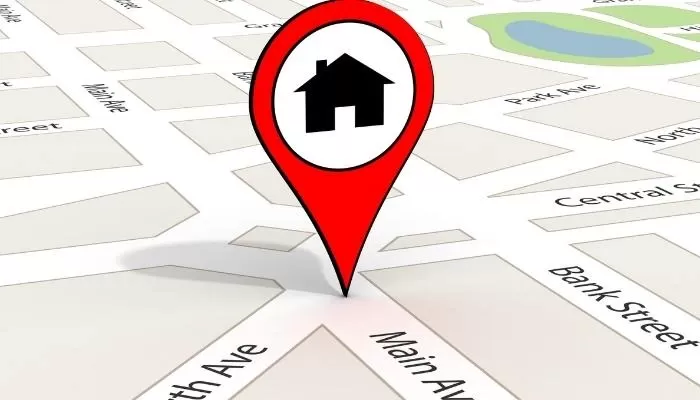
What is geofencing? It's a location-based technology that uses GPS, RFID, Wi-Fi, or cellular data to trigger a pre-programmed action when a mobile device enters or exits a virtual boundary set up around a geographical location. Basically, it uses your location to trigger specific actions on smart devices and controls once you've entered or left the virtual boundary you created.

Geofencing is controlled and managed through a Z-wave powered smart hub or panel and combines all your smart devices and controls into one cohesive network. You can set triggers for your lights, security system, smart plugs, GPS trackers, thermostats, door locks, electronic devices, smart appliances, sprinkler systems, and in-home sound systems. That's your entire home!

Keep Cool & Bright

With warmer temperatures on the way, you have to stay on top of your home's utility bill. And if you already have a smart thermostat, you're on the right track. But it can be better.

When used with geofencing, you can set it so your thermostat automatically raises the temperature a few degrees when you leave the house, which helps you save on energy. You can also program the thermostat to lower the temperature once you've reached the boundary of your geofence, so your house begins to cool when you arrive.

As for lights, you can do something similar where your porch lights and interior lights automatically turn on, so you don't come home to a dark house. While you can do that with ordinary smart home automation, this way, you don't have to fiddle with timing and schedules — it's all based on where you, and your smartphone, are currently located!

Continue reading
  1625 Hits

Keep Your Home Secure: Why You Should Get a Home Security System

CI_Get-A-Home-Security-System_Header

Self-Monitoring vs. Professional Monitoring

Before we dive into why you should get a home security system, first, you'll need to decide whether you want to monitor the system yourself or pay extra for a professional service. While self-monitoring is cheaper, you won't be able to monitor your system 24 hours a day actively — it's too easy to miss something, especially if you're sleeping.

With professional monitoring, the service works round the clock and constantly keeps track of your home's alerts. If an emergency does occur, these trained professionals know exactly how to respond, including which emergency service to contact. And since these alerts come from a professional source, the emergency response times are faster.

Bye Bye, Burglars

Of course, one of the main reasons to get a home security system is if you're worried about a burglary. But did you know that burglars are less likely to invade your home when there are obvious signs of a security system, like yard signs, outdoor cameras, etc.?

Eighty-three percent of burglars look for signs you have an alarm, and over half say they will give up their plans when they see one. And if they do attempt to enter your home, with security motion sensors on the windows and doors, you'll know the instant someone tries.

Pro Tip: For an even more significant burglary deterrent, tie in bright lights and loud alarms whenever a security alert goes off.

Continue reading
  1242 Hits

3 Reasons to Hire a Smart Home Integrator

3 Reasons to Hire a Smart Home Integrator

What is an Integrator?

Smart home integrators are sub-contractors that are experts in the field of smart home automation. Smart-home integrators are required in order to create a smart-home system that can match a homeowner’s expectations for technology that works consistently and without constant adjusting. You can pay an integrator to design and install smart-home systems that take a house to the next level of technology, much like you can hire an electrician to wire your home or an HVAC specialist to design and install heating and cooling systems. The right integrator will help you map out all your needs and align them with all the stakeholders’ goals like an architect, interior designer, electrical consultant, etc.

Enhanced Network Security

Each gadget you add to your house, particularly those with remote access, creates a new network port. Integrators not only strengthen your overall network security by including firewalls and encryption solutions during your automation installation, but they also collaborate with trusted manufacturers who have proven security protocols. They will also be able to consolidate remote features onto a single system, reducing the number of access points for cyber-attacks.

Some professional integrators even offer remote monitoring software to help maintain your home’s network health and performance. If a glitch in the network or a security breach is identified, your smart home professional can notify you of the issue, and they can often fix the issue remotely before you even notice there is a problem or any of your data has been compromised.

More Efficiency

If you simply want one aspect of a smart home system like whole-house audio, installing that project on your own could take a really long time. Trying to do a more comprehensive, personalized system that includes security cameras, motorized shades, outdoor entertainment, climate control, and lighting will be a multi-month DIY project. On the other hand, a professional integrator knows how to build your smart home more quickly and precisely. They’ll do it right the first time, and you’ll be pleased you’re not flicking through an instruction booklet in annoyance. They’ll also ensure that you don’t have too many problems down the line – and if you do, they’ll be on call to come back and help out. When you work with a qualified professional, you’re never left on your own.

Automation Expertise

An integrator’s benefits don’t just stop in the home. They can also help set up your office building’s automation better than your IT department could. Much like in the connected home space, office technology is ideal for serving as the core for your business and building systems. An integrator can help program your system to know when the building is occupied, who is in the building, and control lighting and door access, among other items. And if security is a concern, your integrator can work with your IT to setup up a secured network that can be accessed by your staff yet is still serviceable by the integrator for possible future updates.

Continue reading
  1350 Hits

How to Go On Vacation Worry-Free with Smart Automation

How to Go On Vacation Worry-Free with Smart Automation

Smart Video Doorbell

Since 34 percent of burglars enter through the front door regardless of the lock, the first step to controlling your home while you're gone starts with your front porch. With a smart video doorbell featuring motion detection, you'll know exactly when someone is approaching the door — even if they haven't rung the doorbell.

Most smart video doorbells have a built-in microphone and intercom, allowing you to communicate with whoever approaches your front door no matter where you are. Add-in smart automation triggers like making your porch lights turn on whenever motion is detected and deterring burglars or porch pirates are much more manageable.

Smart Locks

One sure-fire sign that no one is home is a pile of packages on the front porch — but a smart lock with personalized codes and remote locking capabilities is just what you need. With a unique guest code, you can have a trusted neighbor, house-sitter, or relative come by to place your packages inside and have the system automatically lock when they leave.

And if you have a smart doorbell, you can even direct the delivery person to leave your packages inside with the built-in speaker and lock the door remotely when they leave. But if you don't trust people in your home, you can direct your deliveries to be placed in your garage using your smart doorbell and smart garage door opener.

Pro Tip: If you are directing a delivery, do not mention that you're on vacation; simply say you can't come to the door.

Continue reading
  1309 Hits

3 Features of A Smart Office That Will Transform Your Workflow {+1 Bonus}

CI_-smart-home-office-guide_Header

Voice Control

Voice control is typically thought of as a luxury item for the home. It serves as a personal assistant for completing basic household activities. But, it can also translate well into business use!  Here's how:

Individual Offices: Spoken control devices make it simple to alter the temperature and lights, take notes, ask for an online search, and make phone calls with a single voice command. There's no need to waste time switching tasks and risk losing concentration.

Conference Rooms: Let's imagine you're in charge of a meeting that includes several technology devices such as laptops, projectors, lighting control systems, and possibly more.

If your business automation has voice control, you can adjust the lights and start your presentation with a simple voice command. With this technology handling the heavy lifting, you can concentrate on making a great first impression, no problem. Just imagine the effect when the lights go out, and the presentation begins at your command!

Climate And Lighting Control

In an office space, there are always some people who prefer it cold, while others prefer it warmer. It can be difficult for businesses to please each employee. But, thanks to smart technology, it's now a lot easier. Employees can now manage the temperature in the office, saving money and energy.

Continue reading
  1358 Hits

Powered By One Firefly   |    Sitemap   |    Privacy Policy